Most AI chatbot pitches sound the same: "revolutionize your customer support," "24/7 AI agent," "never miss a lead again." Then you actually use one and it's a glorified FAQ page that loops the same three answers no matter what you type.
When PooX — an AI Chat & Code Editor for Mac — came to us, they didn't want that. They wanted a support bot that actually knew their product, could hold a real conversation, and knew exactly when to get out of the way and hand things off to a person.
Here's what we built, and how.
The Problem: Support That Doesn't Scale
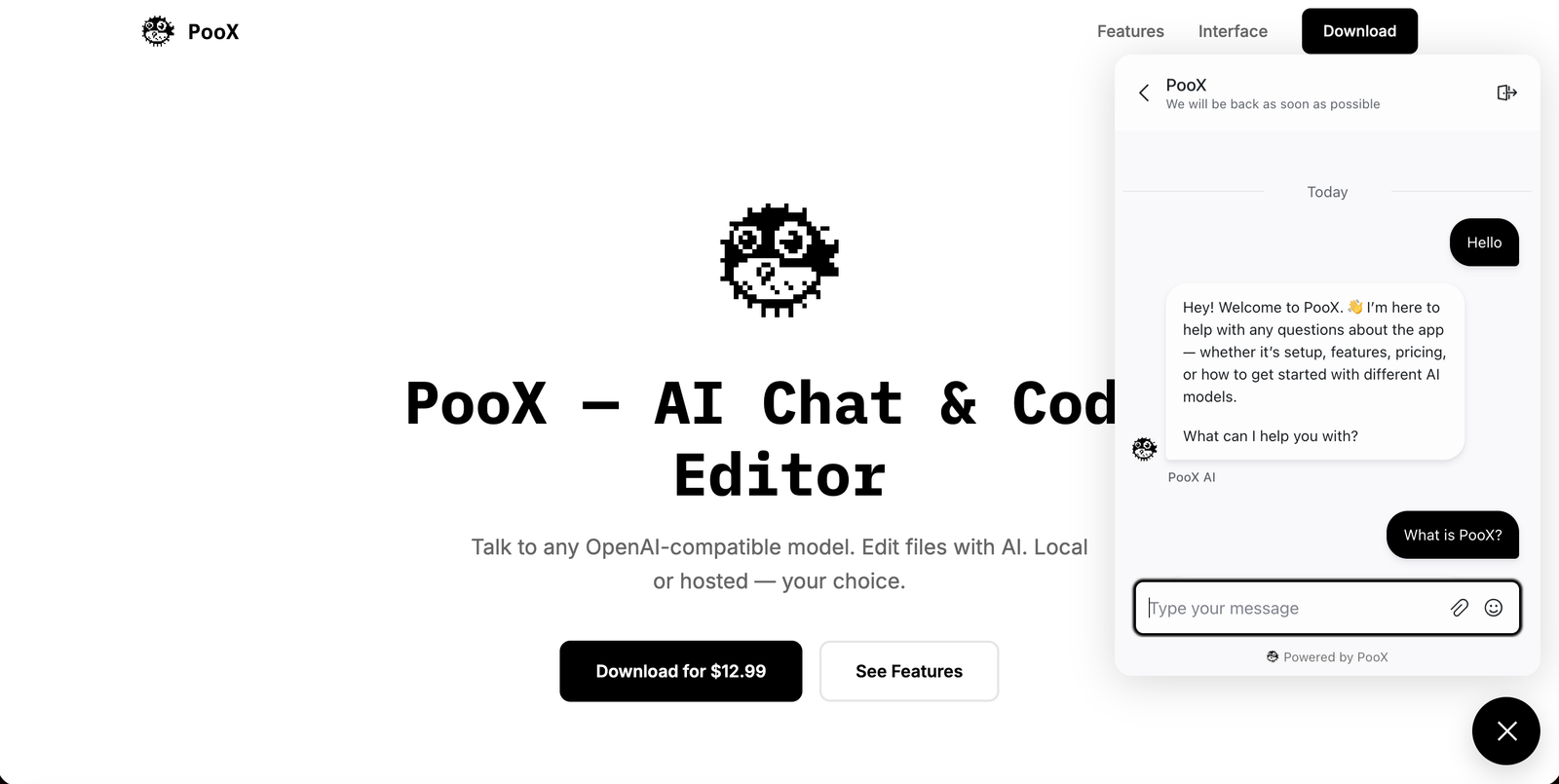
PooX runs lean. No dedicated support team sitting around waiting for chat pings. But their landing page gets visitors asking the same category of questions on repeat: what is PooX, how does BYOK work, how do I fix the macOS "unidentified developer" warning, what's the pricing, can I run it fully offline with Ollama.
Answering those manually, one at a time, doesn't scale. But a bot that just recites a script and can't handle anything outside it burns trust fast — especially with a technical audience that will spot a scripted bot in one message.
They needed something in between: a bot that's genuinely useful for the overwhelming majority of questions, and honest enough to say "I'm not sure, let me get someone" for the rest.
The Stack: Chatwoot for Chat, n8n for the Brain
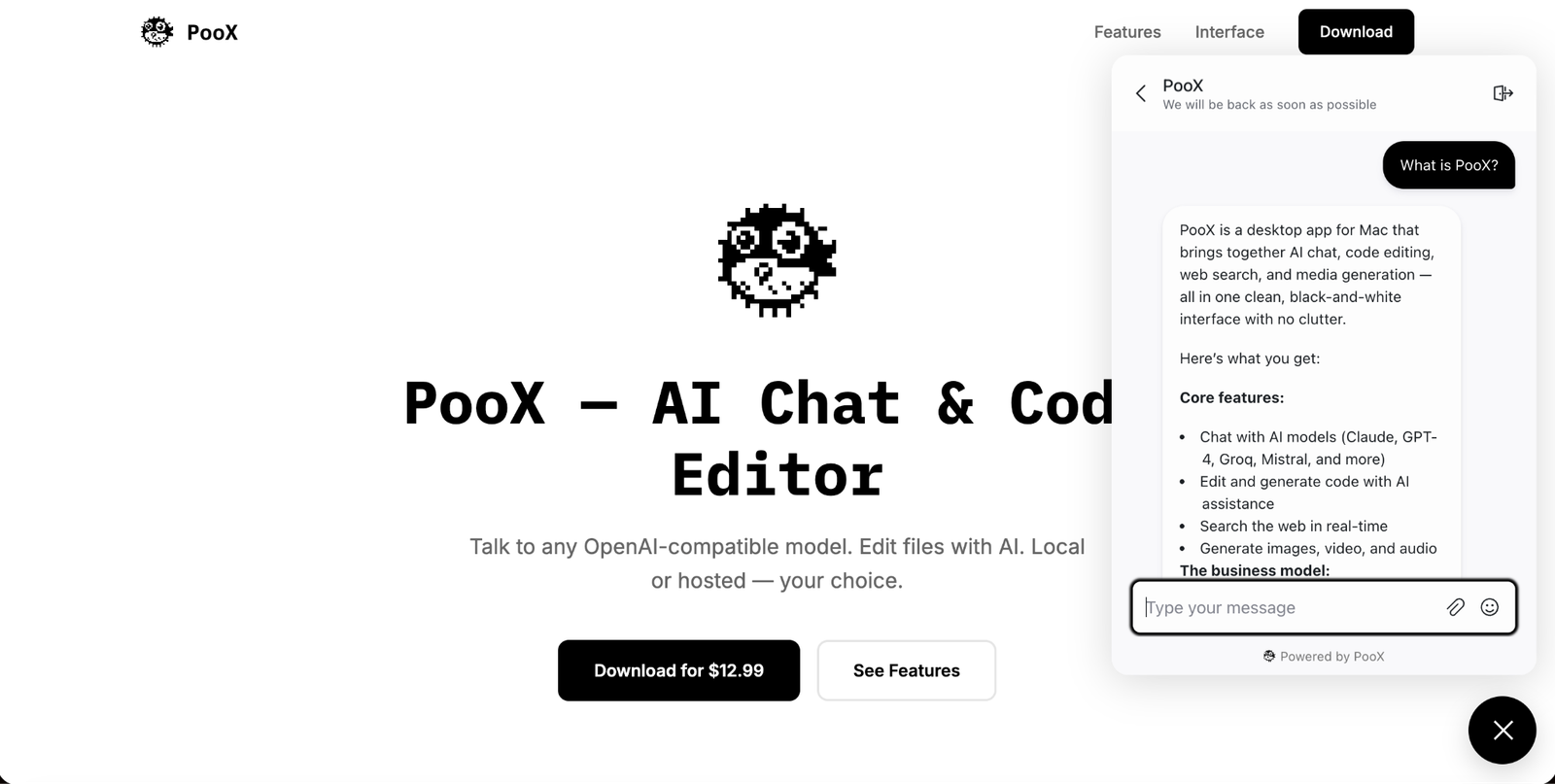
We used Chatwoot, the open-source customer support platform, as the chat layer — it's the widget PooX visitors actually see and talk to. We customized it and wired it to an n8n workflow running the actual AI logic behind the scenes.
Chatwoot handles the front end: the widget, the agent inbox, conversation history, labels, and assignment. n8n handles everything that requires thinking — reading the knowledge base, generating the reply, deciding whether a human needs to step in.
Splitting it this way matters. It means the AI logic lives in a workflow you can open, read, and change in an afternoon — not inside a vendor's black box.
How the n8n Workflow Actually Works
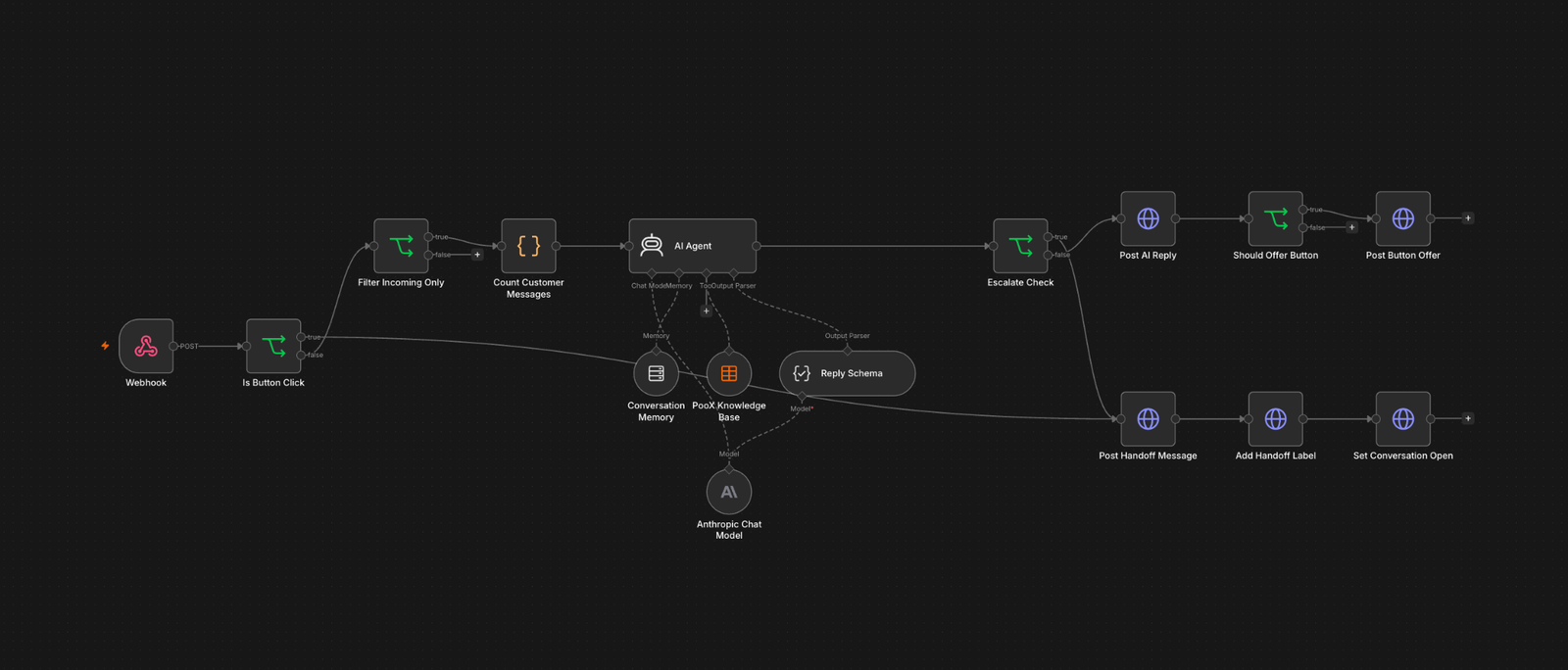
1. The bot reads before it talks. We built out a knowledge base covering every corner of the product — setup steps, provider details, troubleshooting, pricing, the works. Before answering anything more specific than a one-line summary, the AI agent queries that knowledge base directly. It doesn't guess. If the knowledge base doesn't have the answer, the bot says so instead of making something up.
2. It remembers the conversation. Each chat keeps its own memory window keyed to the conversation ID, so the bot isn't re-asking "what do you mean?" every message. It follows context like a person would.
3. It knows when it's stuck. This was the important part. The bot flags a handoff — it doesn't force one — whenever:
- The visitor explicitly asks for a human
- The knowledge base doesn't cover the question confidently
- The same issue is coming up again, meaning the first answer probably didn't land
- The visitor is frustrated, or the conversation touches something account-specific like billing or a refund
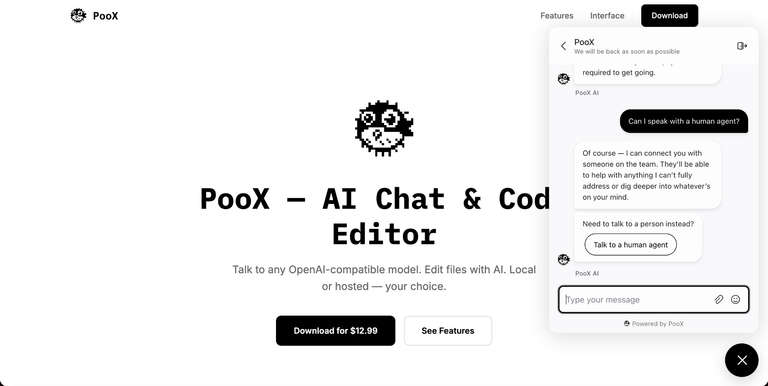
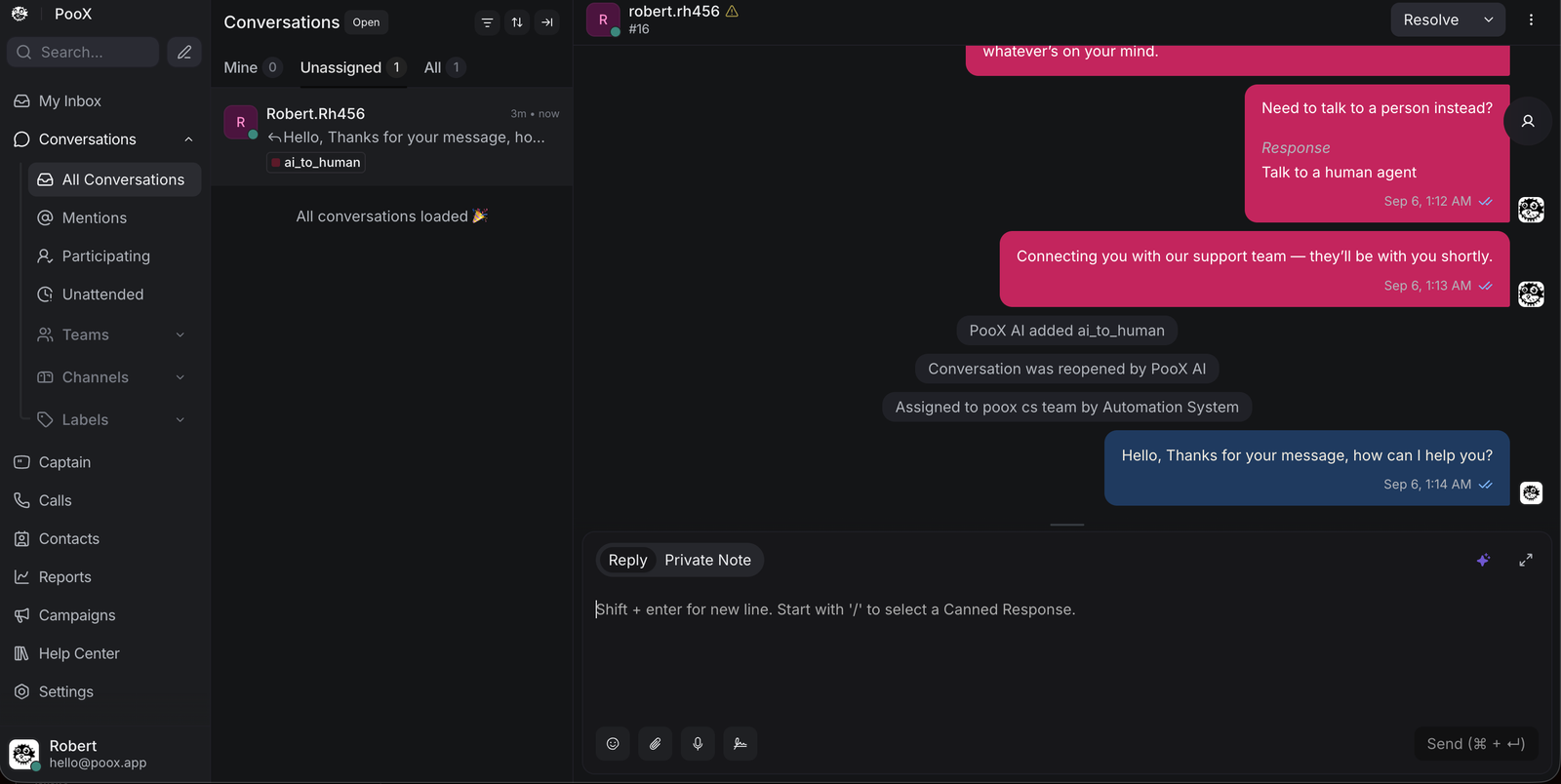
When that happens, the bot doesn't vanish mid-conversation. It keeps answering normally, but a "Talk to a human agent" button appears under its reply. The visitor stays in control — they choose to escalate, the bot doesn't force it on them.
4. The handoff is clean. One click on that button, and the conversation gets labeled ai_to_human, reopened, and dropped straight into the support team's queue inside Chatwoot — with the full chat history already attached. No re-explaining the problem to a human from scratch.
We also added a message-count failsafe: if a conversation runs past ten messages without resolving, the bot proactively offers the handoff button even if none of the other triggers fired. Long conversations usually mean something isn't landing.
The result feels less like "talking to a bot" and more like talking to a support rep who happens to answer instantly and never gets tired of explaining the same setup steps.
The Cost: Tokens, Not a Platform Fee
This is usually the first question founders ask, and it's a fair one — "AI chatbot" has a reputation for being an expensive subscription trap.
Here's the actual model: because this runs on your own n8n instance calling the AI provider's API directly, you're not paying for a SaaS platform license — you're paying for the tokens the AI actually uses.
We built PooX's bot on a small, fast model rather than a frontier one, because support answers are grounded in a knowledge base and don't need heavy reasoning. At typical landing-page chat volume, that puts running cost in the range of a few dollars a month — not a few thousand.
Compare that to AI helpdesk platforms charging per-seat or per-conversation fees that scale up the moment your traffic does. With this setup, your cost scales with actual model usage. Nothing more.
You also own the whole stack. Chatwoot is open source, the workflow lives in your n8n instance, and the knowledge base is structured data you control and update yourself. No vendor lock-in, no "contact sales" pricing tiers, no waiting on a platform's roadmap for a feature you need today.
What to Ask Before You Build One
If you're evaluating an AI support bot for your own product, the question isn't "does it sound smart." It's:
- Does it actually know your product, or is it guessing?
- Does it know its own limits, or does it bluff?
- Does handing off to a human feel seamless, or does the customer start over?
- Are you paying for a platform, or paying for what you actually use?
We built PooX's bot around getting all four of those right.
We automate. You dominate.
Want an AI support bot for your own product — one that knows when to hand off, and costs tokens instead of thousands? Get in touch with A.KM.